
Classes and levels
Class scheduling software for language schools
Class scheduling software for language schools plans classes by level, seats each student in a class with the right course and a free place, avoids clashes of rooms and teachers, and keeps registers and certificates on the same record.
Planning classes when every student starts on a different day
Students at a language school do not all begin in September. They arrive in different weeks for different lengths of stay, at different levels. A course in Dean can accept any start date, or be limited to listed start dates or season windows, with a minimum and maximum number of weeks.
The timetable board
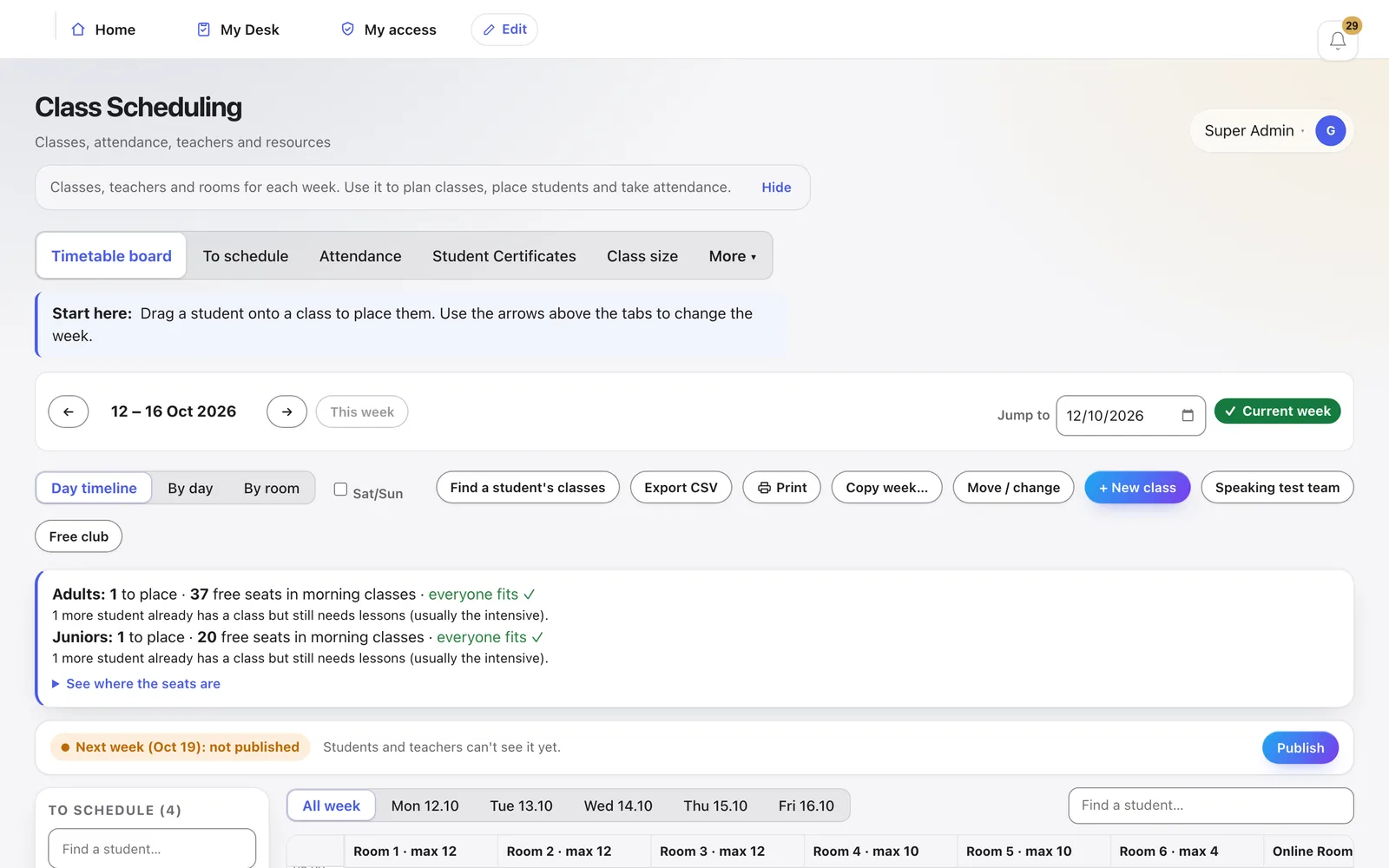
- A weekly board shows classes by day or by room. A student is placed by dragging them onto a class.
- A list of students still to schedule is counted at the top of the page, so no one is forgotten.
- A week can be copied, a class moved or changed, and the timetable printed or exported to a spreadsheet.
- Next week stays hidden from students and teachers until the school publishes it.
Classes by level
- Each school defines its own level ladder, so classes can follow the CEFR scale from A1 to C2 or the school’s own names.
- A course states the range of levels it covers, and a class can step up a level automatically after a number of weeks the school chooses.
- When a student moves to a class that has a level, the student’s level follows.
- Dean suggests placements: a class with the student’s course, their level and a free seat. Staff choose and confirm.
- Dean refuses to place a student in more lessons than they paid for.
No overbooking, no clashes
Class size is capped by a school setting and by the seats in the room. Dean checks for a room or teacher booked twice and previews any clash before a change is made.
Registers, teachers and certificates
- Teachers take the register class by class from the staff screen or their phone, marking present, late, absent or excused. One tap marks everyone else present, and a student nobody marked stays unrecorded rather than quietly becoming present.
- A teacher sees the week’s timetable in the teacher portal, and cover suggestions help when a teacher is away.
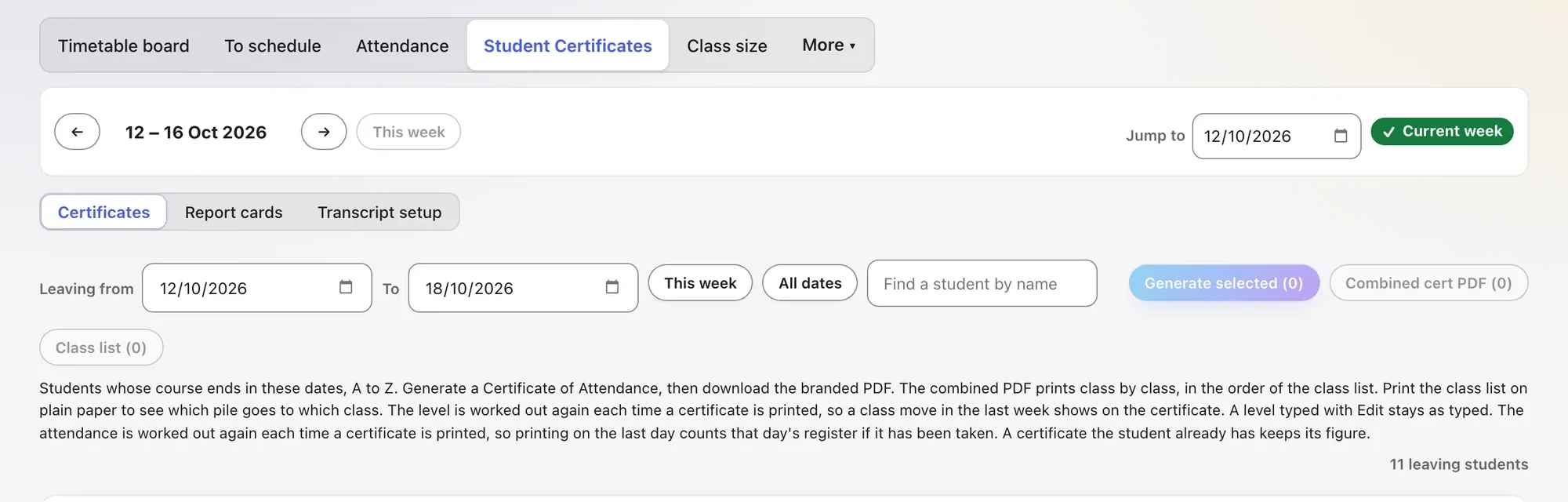
- A leaving certificate is printed on pre-printed stationery or as a digital PDF. The attendance on it is worked out from the registers and the level comes from the last class.
- Progress reports are built from the school’s own template, and weekly progress-test scores are kept with the student.
Questions and answers
What is class scheduling software for a language school?
It plans which students go in which class, with which teacher and in which room, each week. For a language school it also has to cope with students who start in different weeks and join at different levels.
Can Dean schedule classes by CEFR level?
Yes. Each school defines its own level ladder, which can follow the CEFR scale from A1 to C2 or use the school’s own names, and classes are planned by level.
Can students start on different dates?
Yes. A course can accept any start date, or be limited to listed start dates or season windows, with a minimum and maximum number of weeks.
Does Dean stop a room or teacher being double-booked?
Yes. Dean checks rooms and teachers for clashes and previews any clash before a change is made, and class size is capped by a school setting and by the seats in the room.
Can teachers take the register on a phone?
Yes. Teachers take the register from the staff screen or from the teacher app on their phone.
Does Dean print certificates?
Yes. Leaving certificates are available on pre-printed stationery or as a digital PDF, with attendance worked out from the registers and the level taken from the last class.